01
Install path
The starting commands for Mac, Linux, Windows, and WSL/Git Bash where applicable.
GROK BUILD QUICK START
Leave it unpaid and the terminal stays empty.
A short, copy-and-paste PDF that walks you through installation, sign-in, your first project session, permission settings, everyday commands, common fixes, and the credential-safety basics most setup guides leave out.
Get the PDF for $9.99Instant digital delivery · One-time purchase
For your own Mac, Linux, Windows, or WSL setup. No xAI account or API key included.
Guide version: 13 August 2026. Commands in the PDF were checked the same day against current official xAI documentation. CLI flags and authentication flows can change — use the official docs for the latest details. The PDF cover still says Grok 4.5; official current model naming is Grok 4.6.
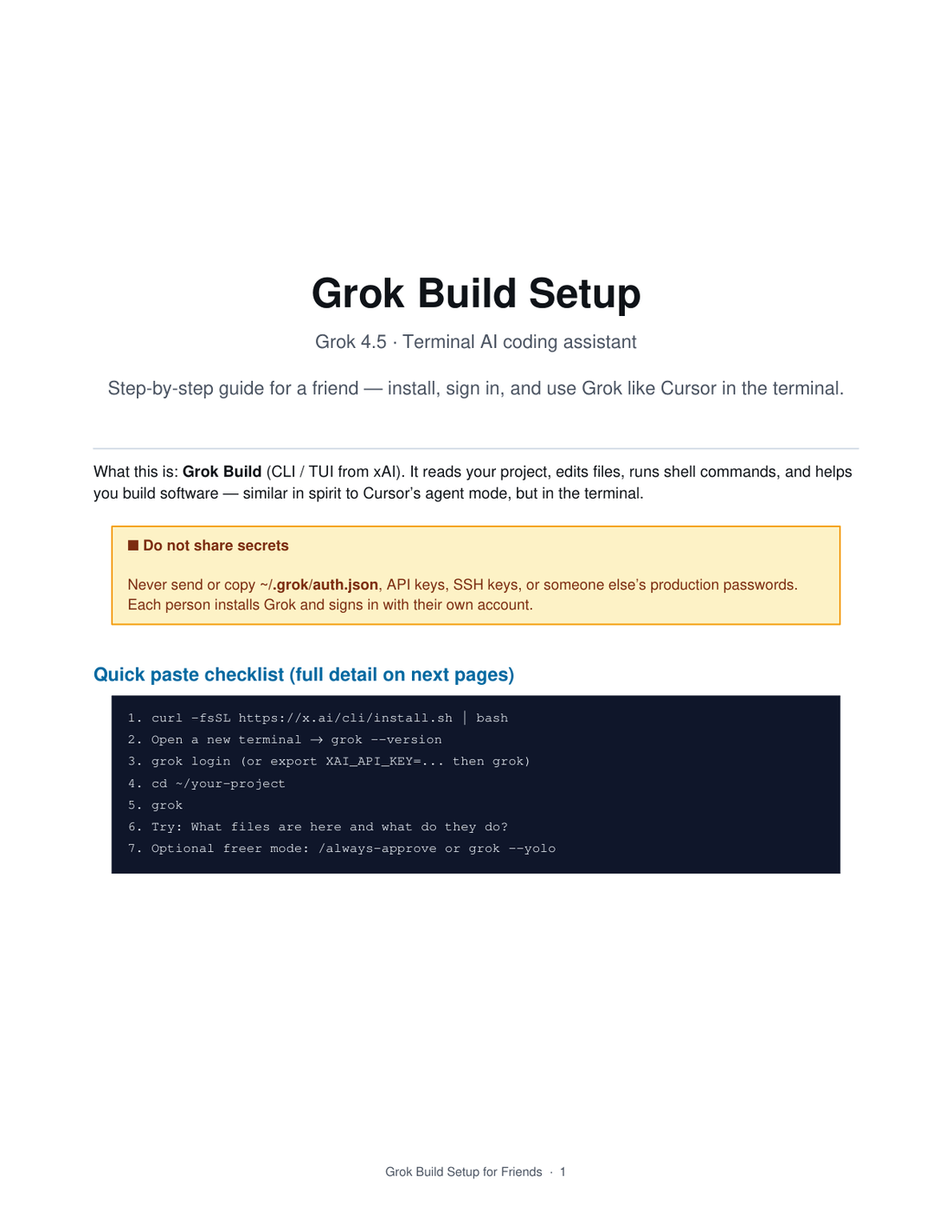
You have heard that Grok Build can work with a real project from the terminal. But before you can ask it to explain a repo or help fix a file, you still have to find the right install command, open a fresh terminal, authenticate correctly, enter the right project folder, understand approval prompts, and know what to do when the command is not found.
This guide puts those first steps in one short path so you can spend less time searching through scattered posts and more time actually trying the tool.
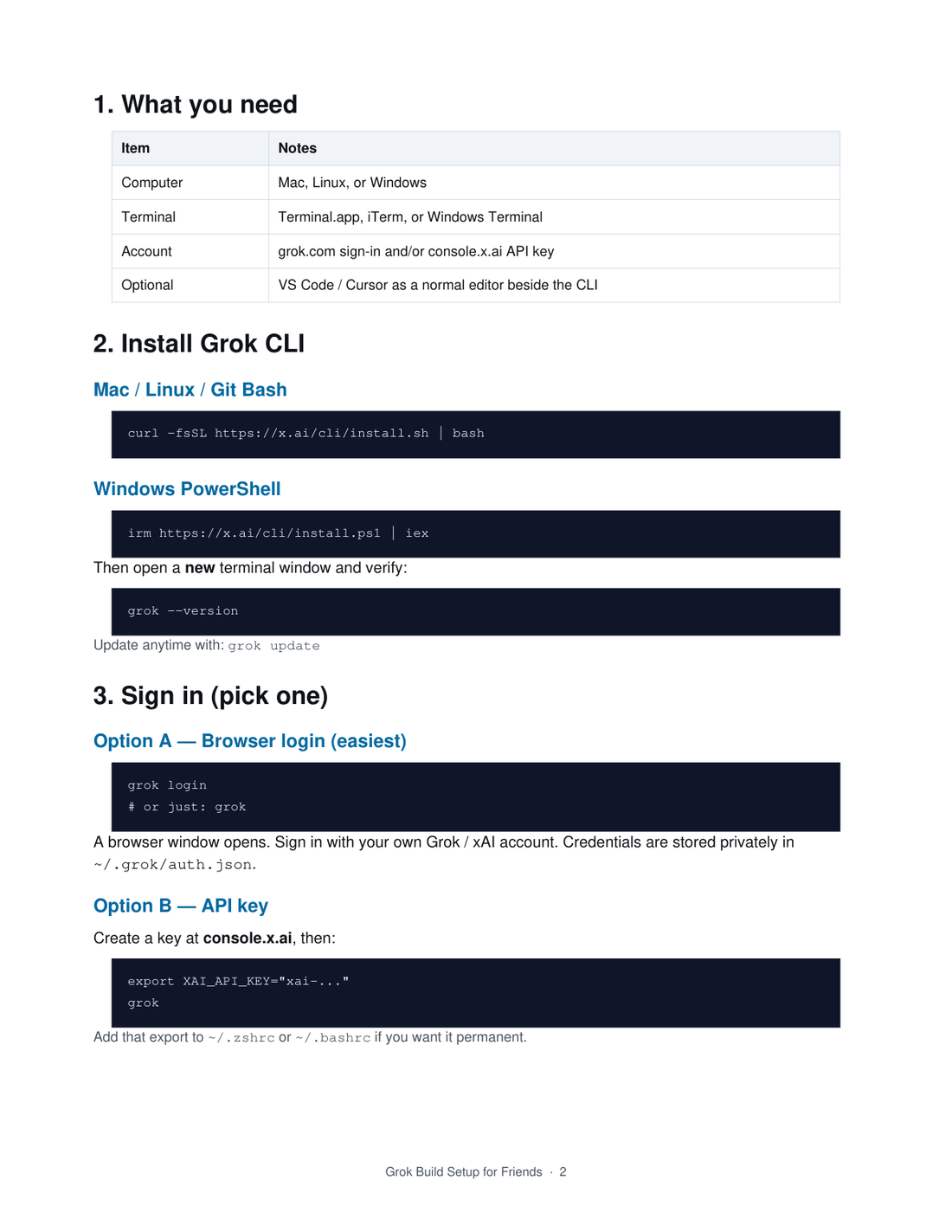
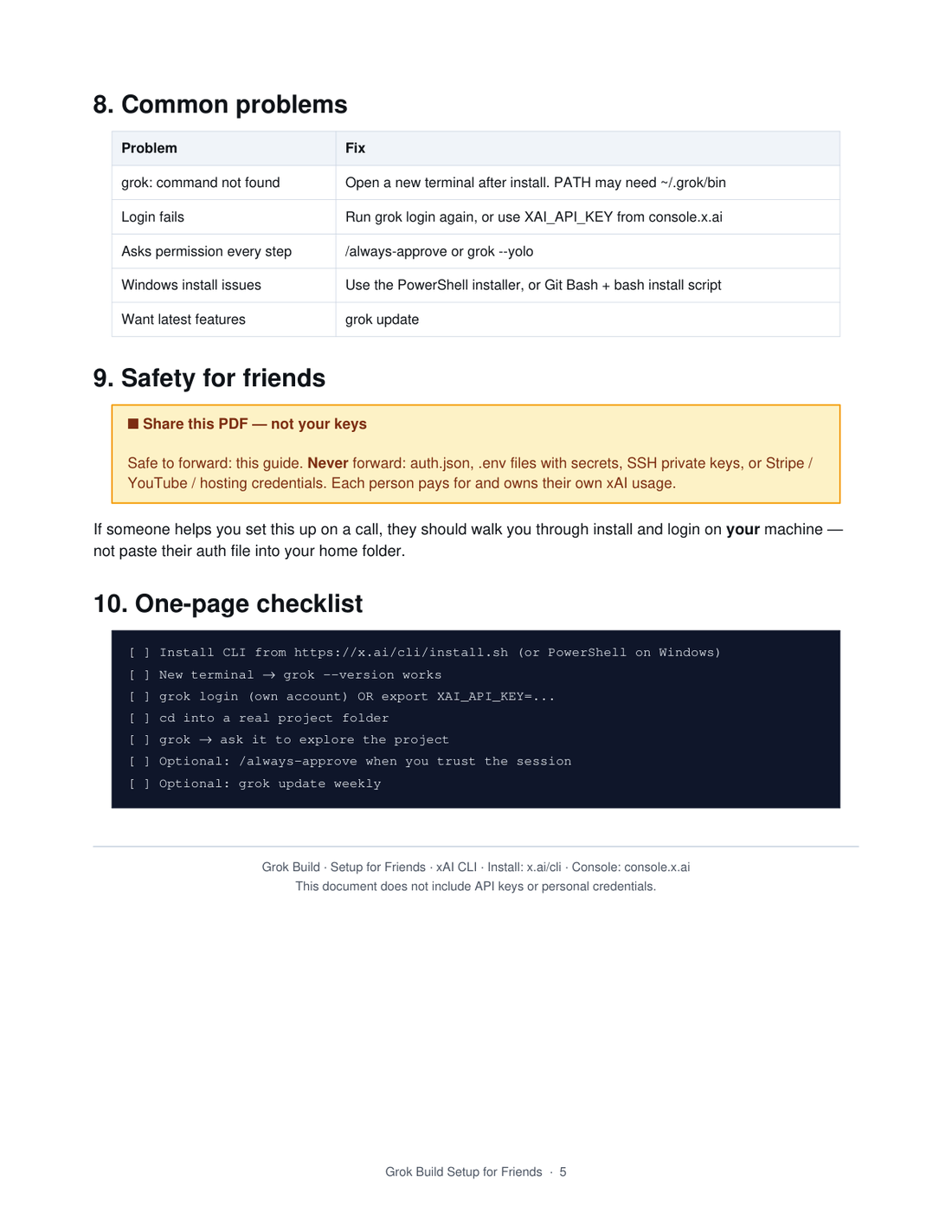
Short enough to use while you set up. Detailed enough to get past the common sticking points.
The starting commands for Mac, Linux, Windows, and WSL/Git Bash where applicable.
Browser login and API-key options, with a clear reminder to use your own account.
How to enter a project folder, launch Grok, attach a file, and ask useful first prompts.
What approval prompts mean and when a freer mode may be appropriate on a trusted machine.
A compact list of useful everyday commands for sessions, updates, and sign-out.
Common setup failures plus a practical “never share this” checklist.
The price is less than the cost of one frustrating hour spent jumping between installation notes, login instructions, terminal examples, and troubleshooting threads. This is a small guide for a specific job: help you get oriented, get connected, and start using Grok Build with better safety habits.
Grok Build Quick Start
$9.99
One-time purchase. Instant PDF delivery.
You will receive a download link after payment. xAI/Grok access, API credits, and support are not included.
48-hour refund path. Open the PDF and work through the setup path. If it is not a useful setup guide as described on this page, email support@fivetoclose.cloud within 48 hours and we will refund the $9.99 purchase. This is a digital download; we do not include an xAI account, API credits, or personal setup.
No. It is an independent FiveToClose quick-start guide. Grok Build, Grok, xAI, and related names belong to their respective owners.
No. You install the software and authenticate with your own account or your own API key. Never send your credentials to the seller or to a friend.
The guide is written for Mac, Linux, Windows, and Windows Subsystem for Linux/Git Bash-style terminal workflows. Check the current official xAI documentation if your environment differs.
You do not need to be an expert, but you should be comfortable opening a terminal, changing folders, and following commands. The PDF is a setup guide, not a programming course.
No software guide can promise that. CLI commands and authentication flows may change. This page shows the document version (13 August 2026). Official references: Grok Build overview, CLI reference, permissions, and modes and commands.
No. It helps you get started and understand the workflow. Results depend on your project, prompts, permissions, model access, and xAI's current product behavior.
The guide is intended for the purchaser's personal use. If a friend needs it, direct them to the product page rather than sharing your download link. You can help someone set up on their own machine, but do not share your auth file or keys.
If the PDF is not a useful setup guide as described, email support@fivetoclose.cloud within 48 hours of purchase for a refund. Full policy: Refund Policy.
Get the quick-start PDF and go from installation to your first project session with a clear checklist in front of you.
Get Grok Build Quick Start for $9.99Independent guide. Digital product. No xAI account, API credits, or personal setup included.